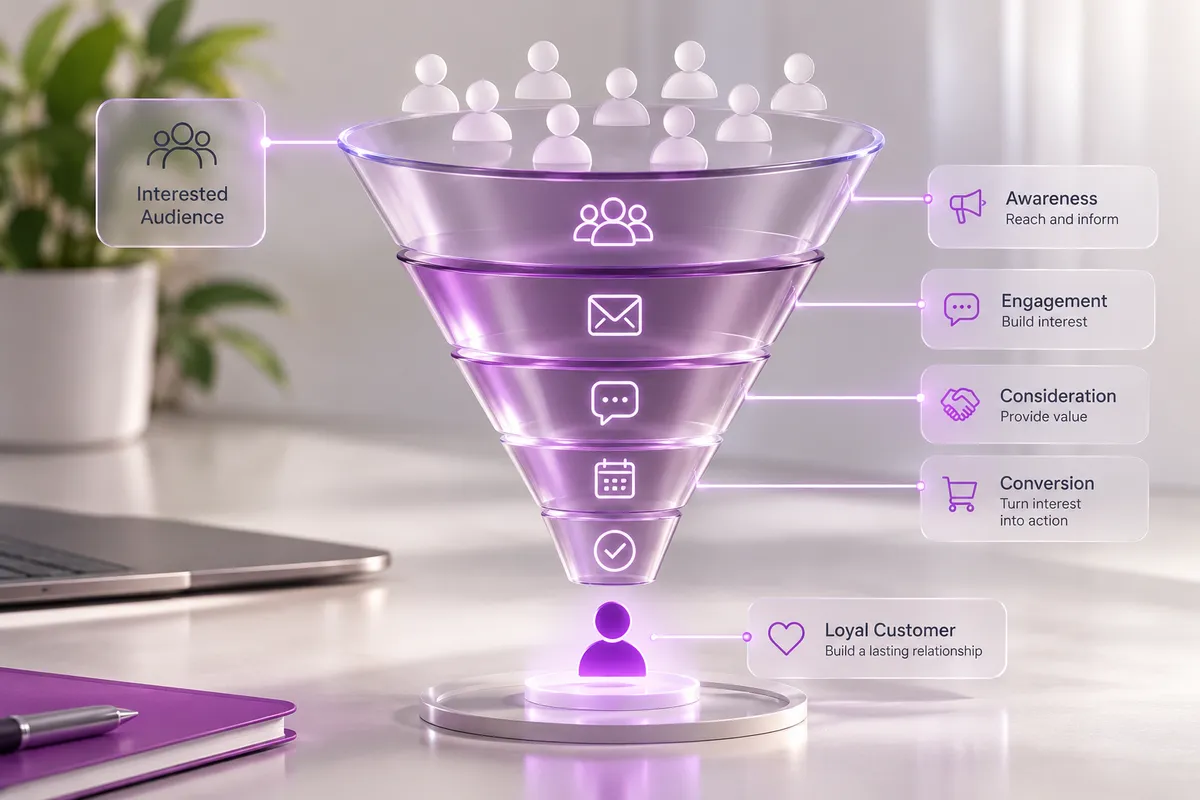
What Email & SMS Automation Really Does (Beyond Follow Ups)
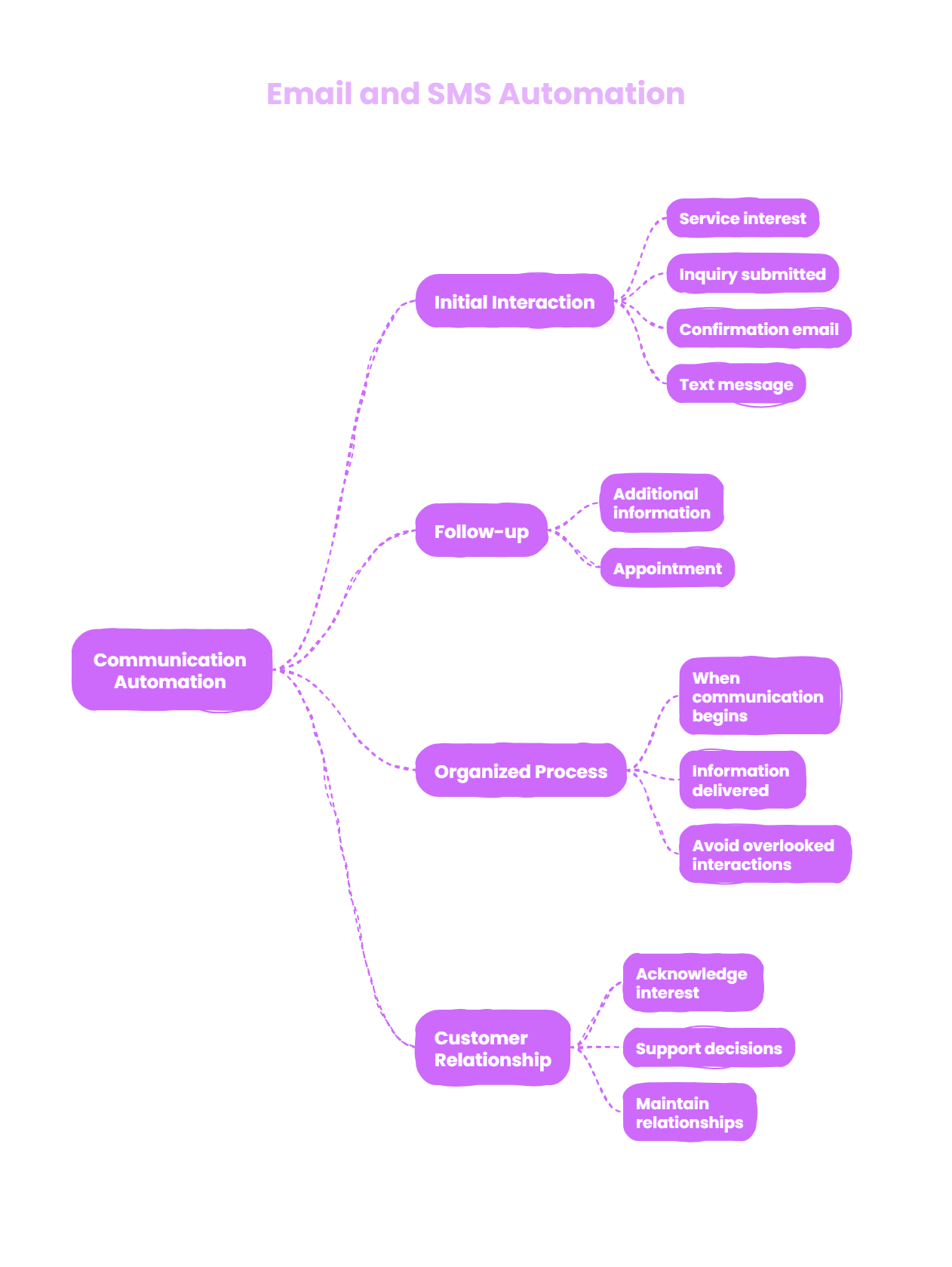
A business website gets visited, there is interest in a service, and submits an inquiry. A confirmation email arrives shortly afterward. Perhaps a text message follows, acknowledging the inquiry and providing another way to connect. A few days later, additional information arrives by email. If an appointment is booked, a confirmation and reminder follow. Each message serves a purpose, and each one contributes to the person's experience with the business. Behind these interactions, something has to determine when communication begins, what information should be delivered, and what should happen as the person's circumstances change. Without an organized process, someone within the business would need to remember each interaction, determine the appropriate response, and make sure nothing important gets overlooked.
This is one of the ways email and SMS automation support a business. They allow communication to continue beyond the initial interaction, connecting messages to the activities, decisions, and experiences that take place throughout a customer relationship. Yet communication automation involves much more than scheduling a few follow up emails or sending a reminder before an appointment. When properly developed, it becomes part of how a business acknowledges interest, provides information, supports decisions, prepares customers, and maintains relationships over time. Understanding what email and SMS automation actually do, begins with looking at the communication taking place throughout the customer journey.
Every Interaction Creates a Communication Opportunity
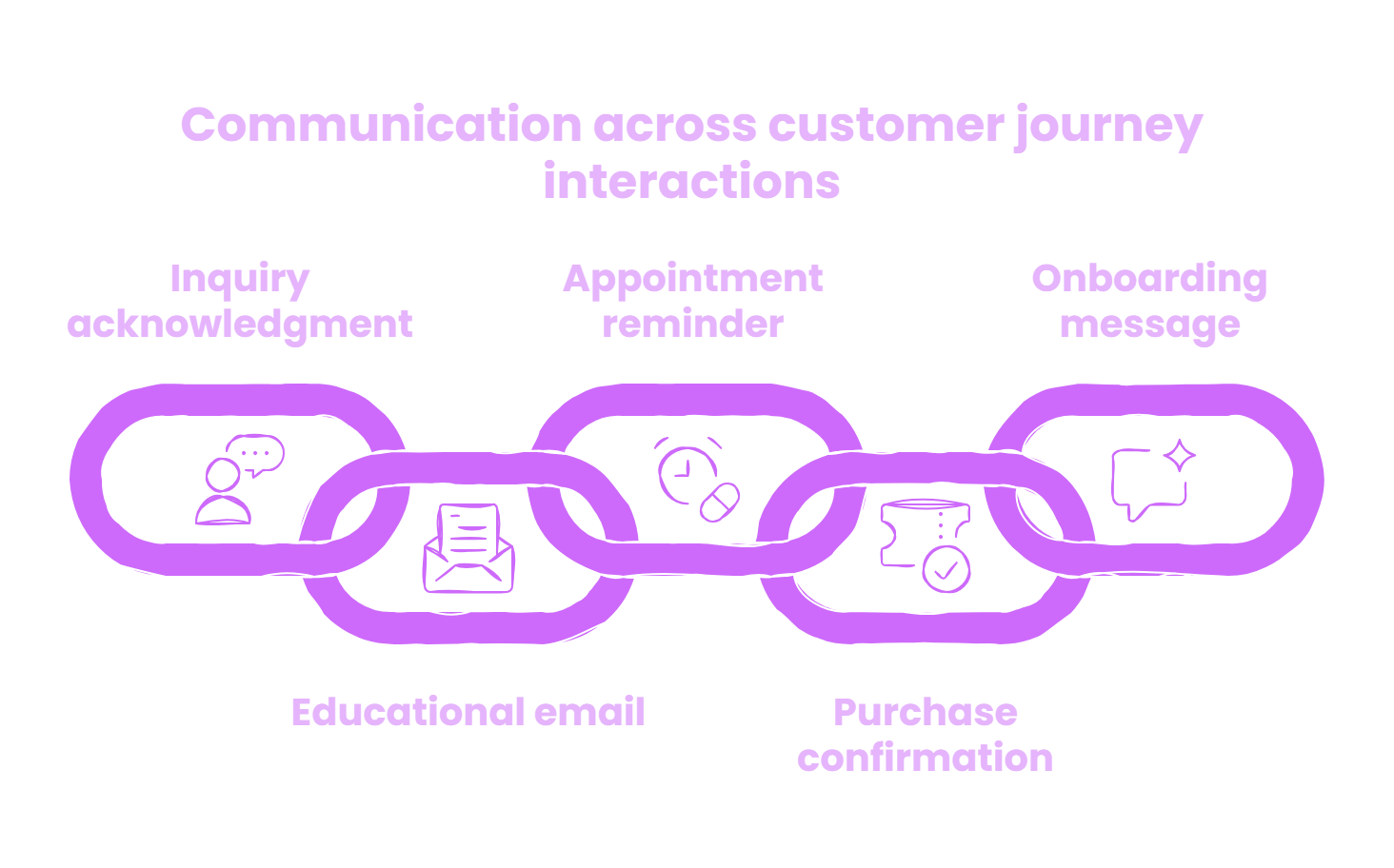
A customer journey involves a series of interactions between a person and a business. Some are initiated by the person, such as submitting an inquiry, requesting information, booking a consultation, or making a purchase. Others are initiated by the business, such as providing an update, delivering a resource, or explaining what happens next. Each interaction creates an opportunity for communication that helps the relationship move forward. When someone first expresses interest, an acknowledgment establishes that the business has received the inquiry. The person may then need additional information to understand the service, evaluate whether it meets their needs, or determine whether they are ready to take another step. Once an appointment is booked, communication may shift toward confirmation and preparation. Following a purchase, the focus changes again toward onboarding, delivery, and continued customer care. Although these messages may all be delivered through email or SMS, their purposes are different.
An inquiry acknowledgment confirms receipt. An educational email helps someone understand an offer or subject. An appointment reminder supports preparation and attendance. A purchase confirmation establishes what has been completed and provides information about what follows. An onboarding message helps a new customer begin the experience they have purchased. The communication should reflect the interaction taking place rather than simply continue because another message is scheduled. This is particularly important when several stages of a customer journey are supported by automated communication. Someone who has already purchased should receive information appropriate to being a customer, rather than continue receiving messages intended to persuade a prospect to make the same purchase. Someone who has booked an appointment should receive preparation information rather than repeated invitations to book. The business needs a way to recognize these changes and allow communication to follow them.
What Email and SMS Automation Actually Do
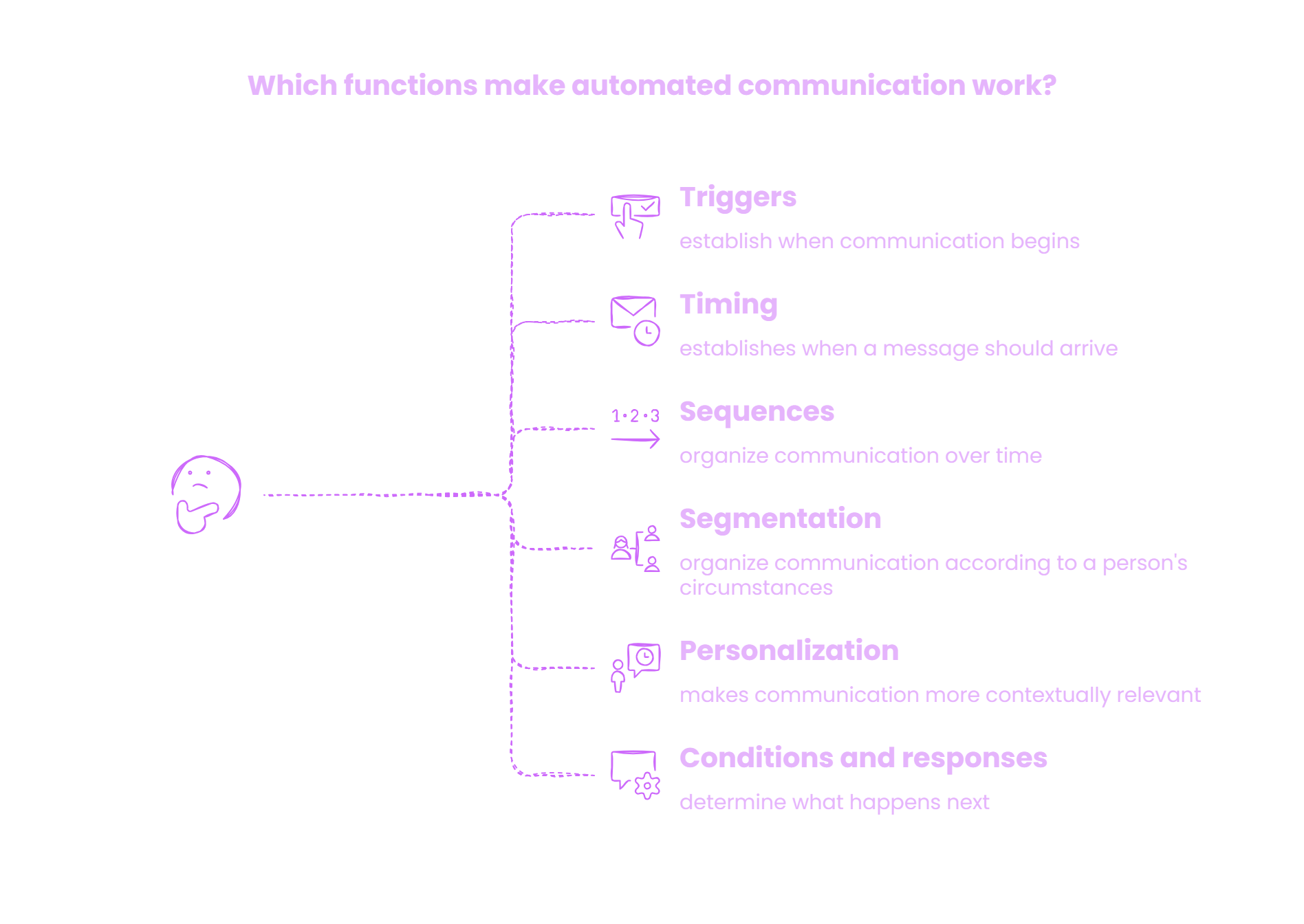
Email and SMS automation use established rules and conditions to determine when communication should take place and what should happen next. Rather than requiring someone to manually send every message, a business can configure its systems to respond to particular activities. Several functions work together to make this possible. Triggers establish when communication begins. A trigger is an event or condition that initiates an automated process. Someone submitting a form, booking an appointment, making a purchase, or entering a particular stage of a pipeline may trigger a communication. The trigger connects an action taking place within the business to a response that has been established for it. For example, when someone submits an inquiry form, the business may configure an immediate acknowledgment. The person's action initiates the communication without requiring someone to manually recognize the submission and send a response.
Timing establishes when a message should arrive. Not every communication belongs immediately after an interaction. Some messages need to arrive at once, while others are more useful after a period of time or when a particular event occurs. An appointment confirmation may be sent as soon as a booking is completed. Preparation information may follow later. A reminder may arrive closer to the appointment. The timing of each message should reflect its purpose and the circumstances of the recipient. Sequences organize communication over time. A sequence is an arranged series of communications that follows an established order. It may contain emails, text messages, waiting periods, and conditions that determine what happens next. Consider someone who requests information about a service. The first message might acknowledge the request and provide the requested information. A later communication might explain an important aspect of the service, followed by an invitation to discuss whether it is appropriate for the person's situation.
The sequence gives the business a consistent way to provide information over time rather than relying on a single message to accomplish everything. Segmentation helps organize communication according to a person's circumstances. Not everyone interacting with a business is in the same position. Some people are learning about an offer, others are considering it, and some have already become customers. Segmentation allows a business to organize contacts into groups based on relevant information, activities, or stages. This helps determine which communications are appropriate for different people. A prospect receiving information about an offer, for example, should generally follow a different communication path from a customer who has already purchased it. Personalization makes communication more contextually relevant.
Automation can use available contact information and interaction history to make messages more specific to the recipient. This may include a person's name, the service they inquired about, appointment details, or information related to an action they completed. Personalization is most useful when it contributes to relevance. Including someone's name is one form of personalization but acknowledging what they actually did and providing information appropriate to that action creates a more meaningful experience. Conditions and responses determine what happens next. An automated process can account for what a person does after receiving a communication. Someone may click a link, complete a booking, make a purchase, reply to a message, or take no further action.
These activities can determine whether the person continues through an existing sequence, enters another communication path, receives different information, or is removed from a process that no longer applies. For instance, when someone books a consultation after receiving an invitation, the system should recognize the booking and transition that person into appointment related communication. Continuing to send booking invitations after the appointment has been scheduled would create an unnecessary and disconnected experience. Together, these functions allow communication to respond to activity and remain connected as the customer relationship develops.
Email and SMS Have Different Roles Within the Same Communication System
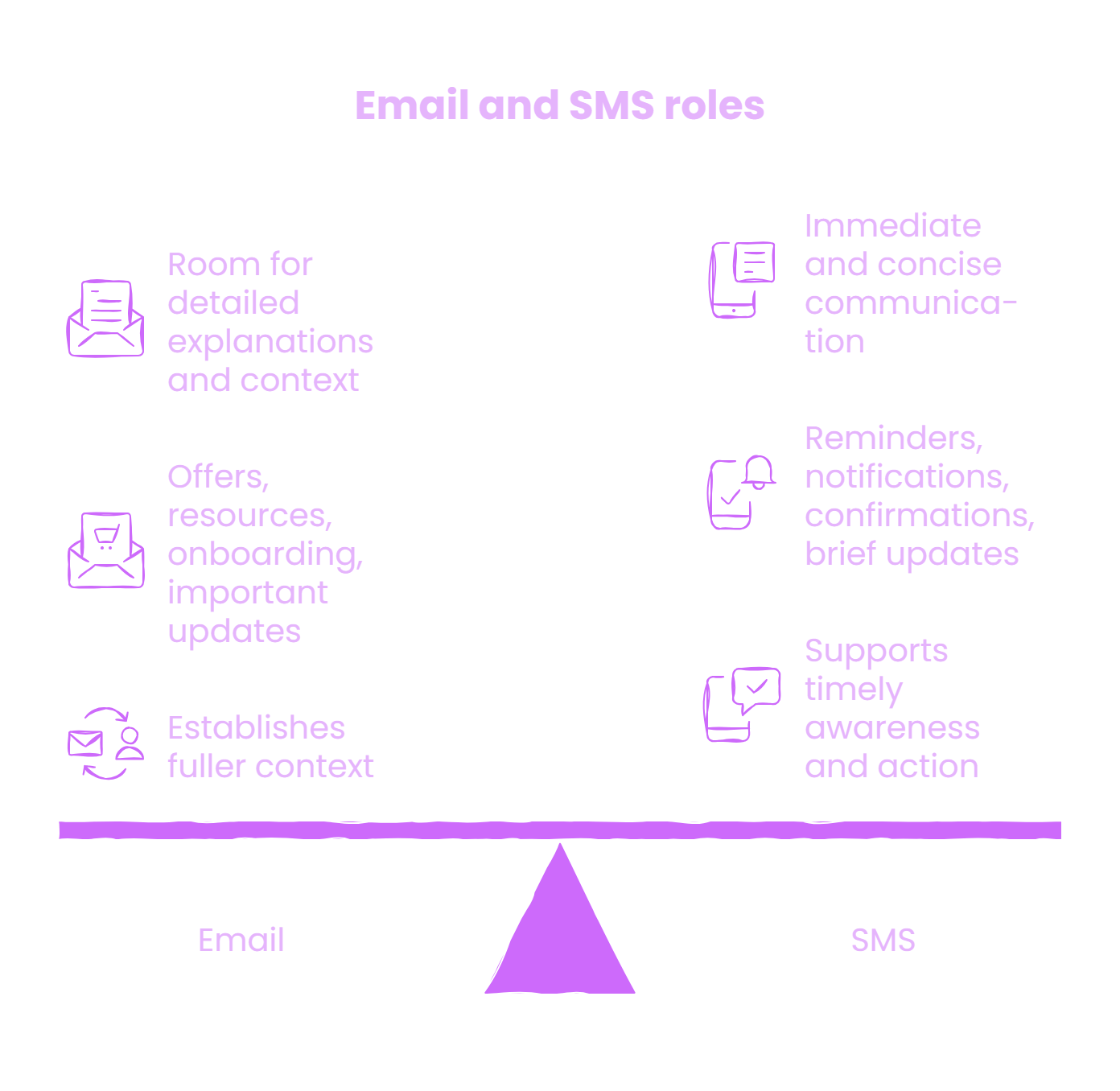
Email and SMS can support the same customer journey, but they offer different communication experiences. Their effectiveness comes partly from understanding what each channel makes possible and selecting the appropriate one for the information being delivered. Email provides room for more developed communication. It can accommodate detailed explanations, educational content, resources, images, links, instructions, and information that someone may want to revisit. A business might use email to introduce an offer, explain how a service works, deliver a requested resource, provide onboarding information, or communicate important updates. Email can hold more information, it is particularly useful when the recipient needs context before making a decision or completing an activity. SMS provides a more immediate and concise communication experience. It can be useful for appointment reminders, timely notifications, brief updates, confirmations, and situations where a person needs to be directed toward a specific action.
For example, an email may provide the details a person needs to prepare for a consultation, while a text message sent closer to the appointment may remind them of the scheduled time and provide a convenient link. The two channels can therefore complement one another. Email can establish the fuller context, while SMS can support timely awareness and action. However, using both channels does not automatically make communication more effective. Sending the same information through email and text simply because both options are available can create unnecessary repetition. The purpose of each message should determine its channel, timing, and level of detail. Consent and communication preferences also matter. A business needs appropriate permission to send marketing emails and text messages, and it must respect applicable communication rules, including unsubscribe and opt out requirements. The convenience of automation does not remove the responsibility to communicate appropriately. When each channel has a clear role, email and SMS can work together to create a more connected experience without overwhelming the recipient.
Automated Messages and Automated Communication Are Different Things
A business can have numerous automated messages without having an effective communication system. An email sequence may send every message at the scheduled time. Text reminders may arrive before appointments. Confirmation messages may be delivered whenever a form is submitted. From a technical perspective, each automation may be functioning exactly as configured. The larger communication experience, however, depends on how those messages relate to one another and to the activities taking place within the business. Consider a person who submits an inquiry, receives an acknowledgment, books a consultation, and then makes a purchase. If the communication system does not recognize these changes, the person may continue receiving messages intended for someone who has not yet booked or purchased. The individual messages may be accurate within their original sequences, but the overall experience becomes inconsistent.
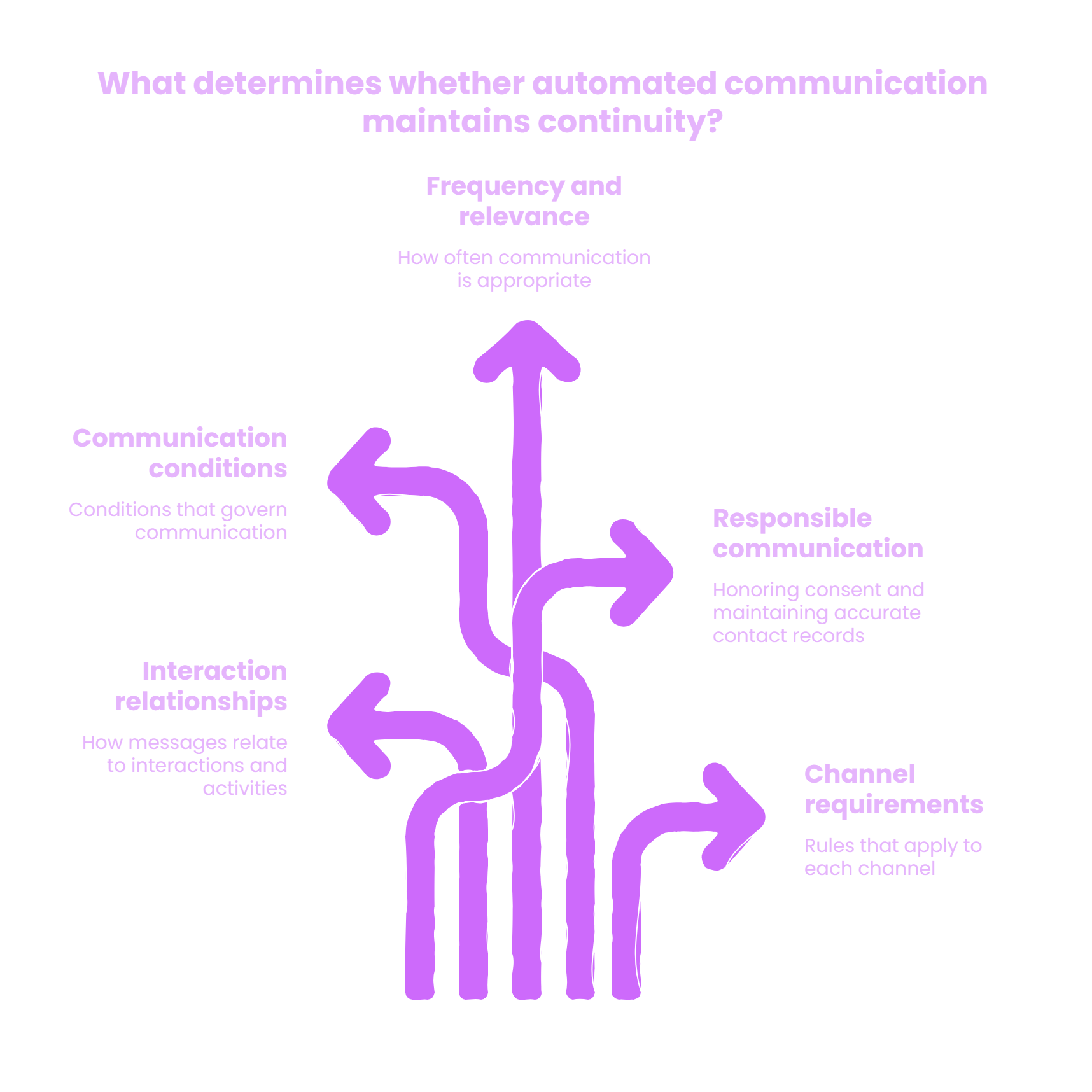
Automated communication accounts for the relationship between interactions. It recognizes that a person's position can change and that communication should change with it. This requires more than writing a series of messages and placing them into a workflow. The business must establish the conditions that govern the communication. What starts a sequence? What action changes the person's status? What information should they receive at each stage? Which messages should stop when another action is completed? What happens when someone responds or needs individual assistance. These decisions determine whether the system can maintain continuity or simply repeat a predetermined set of messages.
Frequency matters as well. A person who receives an email every day and several text messages throughout the week may experience the business as intrusive, even when every message contains useful information. The business needs to consider how often communication is appropriate, whether multiple workflows are contacting the same person, and whether the combined experience remains relevant. Responsible communication also requires honoring consent, maintaining accurate contact records, and providing appropriate ways to unsubscribe or opt out. Email and SMS have different legal and operational requirements, so their implementation should account for the rules that apply to each channel. The distinction becomes clear when communication is considered as a connected experience rather than a collection of individual messages.
Where Email and SMS Automation Work in a Business
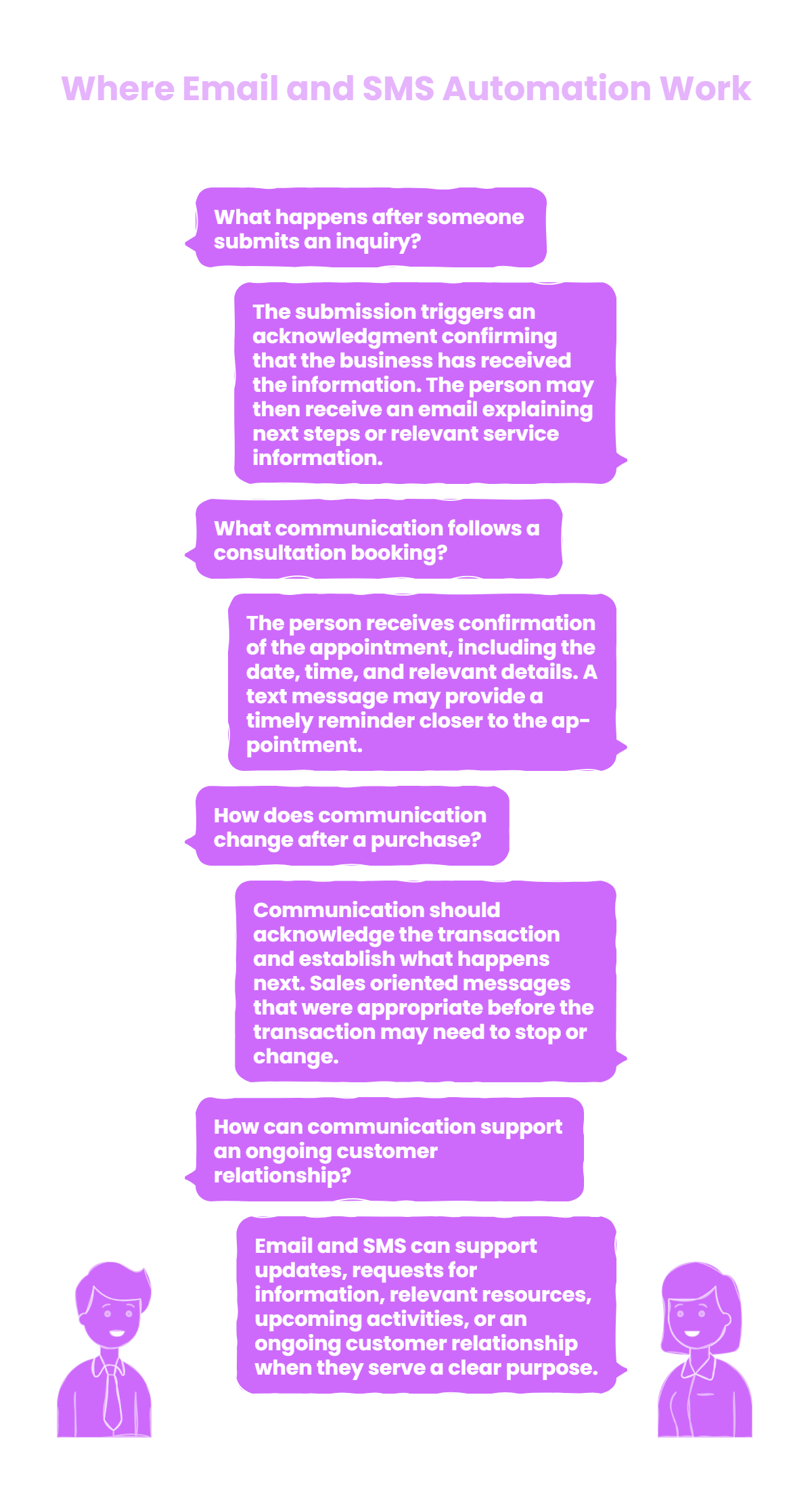
The practical value of communication automation becomes easier to understand through the situations in which businesses use it. When someone submits an inquiry: A person visits a website and completes an inquiry form. The submission triggers an acknowledgment confirming that the business has received the information. The person may then receive an email explaining the next steps, relevant service information, or what to expect from the inquiry process. If additional communication is appropriate, a follow up can be scheduled according to the business's established process. If the person responds or books a consultation, the system can recognize that activity and adjust the communication path. The purpose is to maintain a connection between the original inquiry and the next meaningful interaction. When someone books a consultation: A booking initiates a different communication process. The person receives confirmation of the appointment, including the date, time, and relevant details. An email may provide preparation instructions, information about the consultation, or anything the person should review beforehand.
A text message may provide a timely reminder closer to the appointment. If the person reschedules or cancels, the communication should reflect the updated booking rather than continue using the original appointment details. Here, automation supports both the business's scheduling process and the person's experience of preparing for the appointment. When someone makes a purchase: A completed purchase changes the relationship between the person and the business. Communication should acknowledge the transaction and establish what happens next. The customer may receive a confirmation, access information, onboarding instructions, or details about the delivery process. Depending on the service, additional messages may help the customer prepare, provide required information, or understand how to begin.
The system should also recognize that the person has purchased. Sales oriented messages that were appropriate before the transaction may need to stop or change so that the customer receives communication relevant to the experience they have entered. When a customer continues the relationship: Communication does not necessarily end after the initial purchase or service delivery. A business may need to provide updates, request information, share relevant resources, communicate about upcoming activities, or maintain an ongoing customer relationship. Email and SMS can support these interactions when they serve a clear purpose. A customer might receive an email containing an important resource and a text message notifying them of a time sensitive update. These examples show how communication automation can support several parts of the business. The system connects an activity to the communication appropriate for what has happened and what needs to happen next.
Communication Automation Becomes Part of the Customer Experience
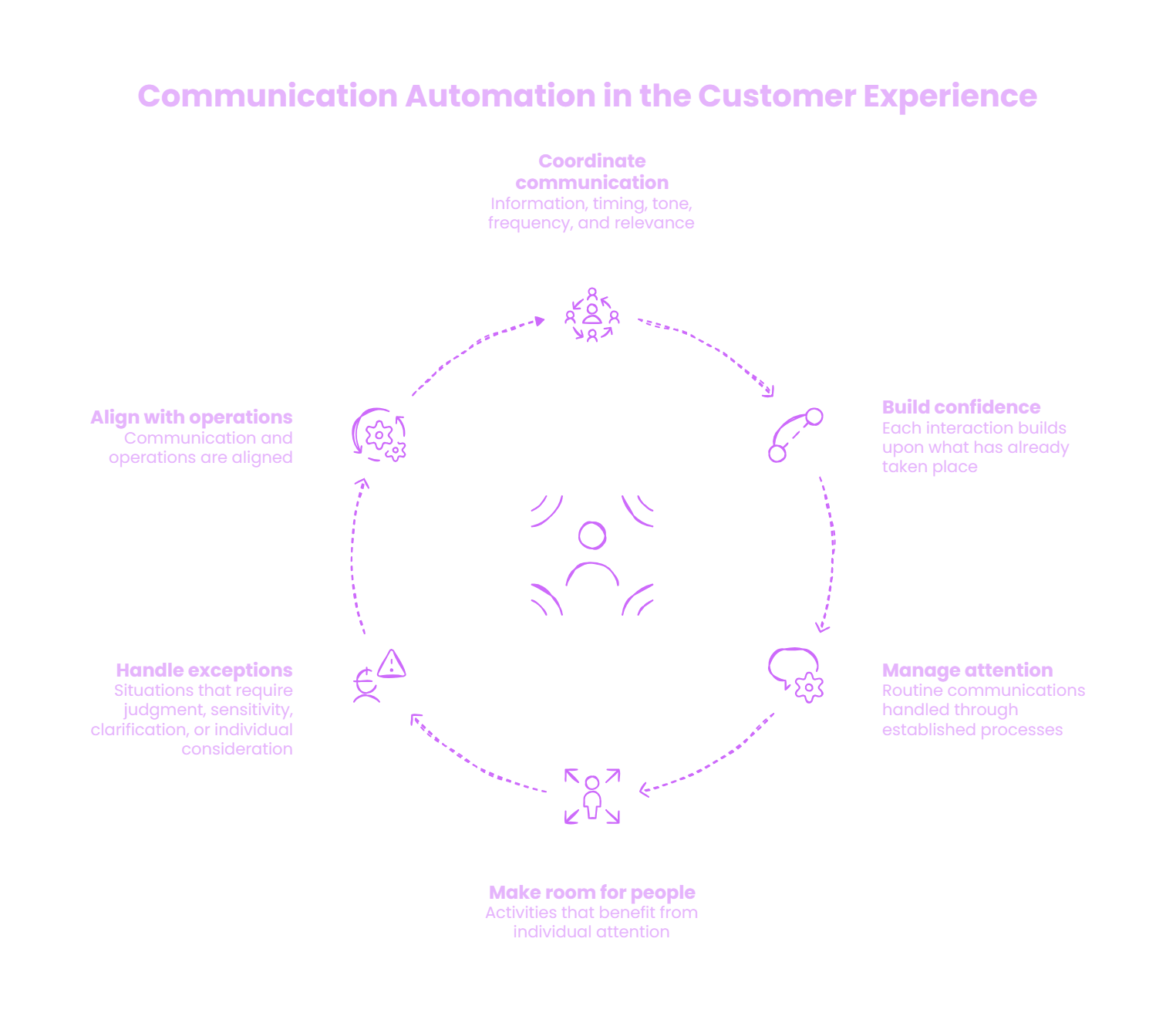
Every message a business sends contributes to how the business is experienced. The information, timing, tone, frequency, and relevance of communication all influence whether a person can understand what is happening and move through the relationship with confidence. When communication is coordinated, the experience feels connected. An inquiry is acknowledged, relevant information follows, appointments are handled clearly, and customers receive appropriate guidance after making a purchase. Each interaction builds upon what has already taken place. When communication is poorly coordinated, the experience can feel fragmented. A person may receive conflicting information, repeated invitations, outdated appointment details, or messages that no longer apply to their circumstances. These situations can affect more than the recipient's impression of a particular message. They can influence confidence in the business's ability to organize its services and follow through on its commitments. Automation also changes how the business manages its own attention. When routine communications are handled through established processes, people within the business can spend less time manually sending standard acknowledgments and reminders.
That creates more room for activities that benefit from individual attention, such as interpreting a customer's needs, answering a specific concern, handling an exception, or having a meaningful conversation. Human involvement remains an important part of the communication system. Automation can recognize configured conditions and initiate established responses, but situations that require judgment, sensitivity, clarification, or individual consideration may need a person to take over. The strongest communication systems account for both. They establish consistent responses for recurring activities while allowing people to address circumstances that require a more personal approach. This is also why communication automation should be developed in relation to the business's actual customer experience. The messages should reflect what the business offers, how its services are delivered, what customers need to understand, and what the business is prepared to support. When communication and operations are aligned, automation becomes a way to carry the intended experience across interactions.
Map the Communication After One Customer Action
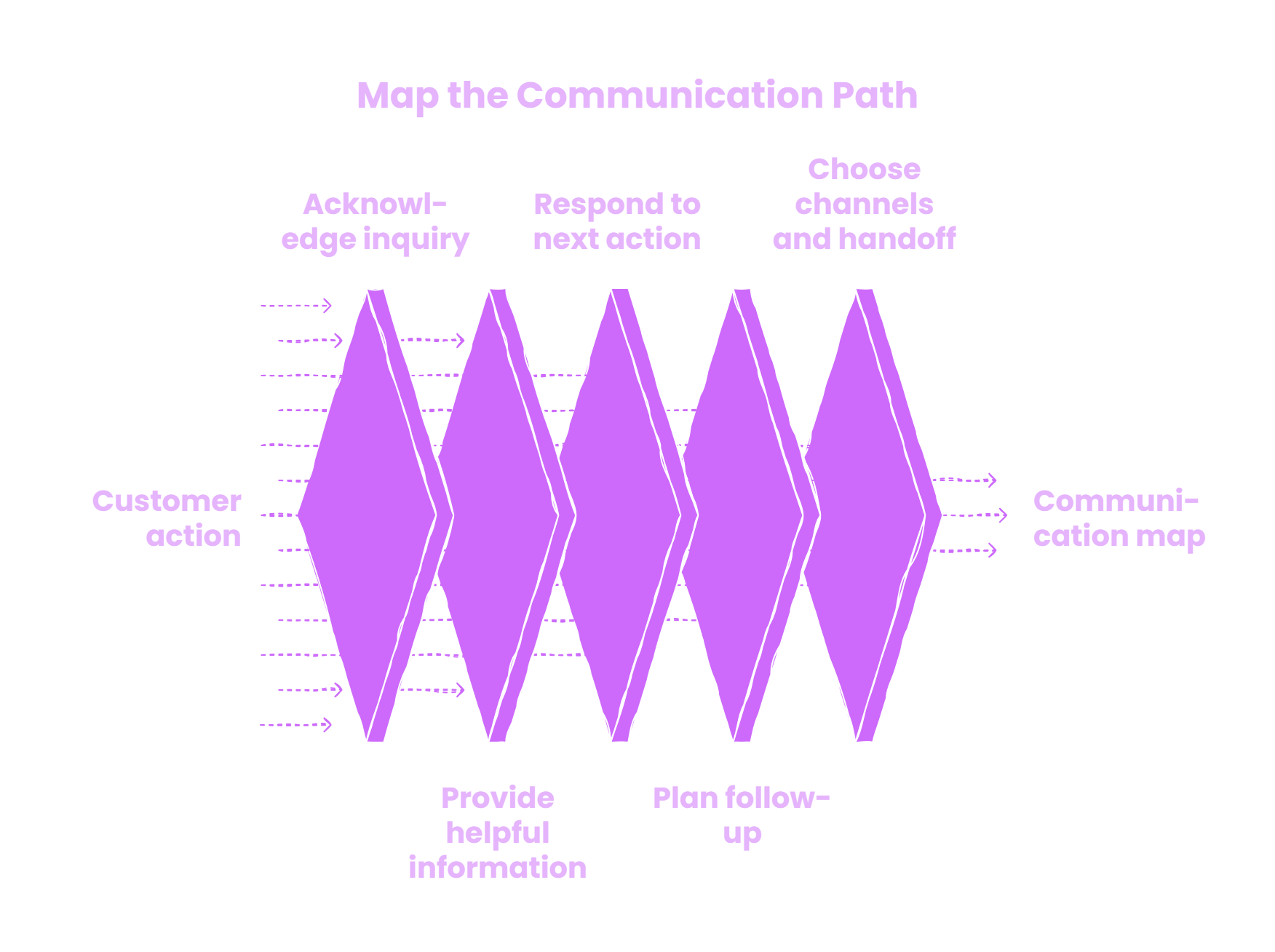
A useful way to begin developing a communication system is to examine one action that commonly takes place within the business. For example, consider someone submitting an inquiry about a service. The form submission is the starting point, but the communication process extends beyond the confirmation message. Begin by identifying what should happen immediately after the inquiry is received. The person may need an acknowledgment, confirmation that the information was submitted successfully, and an explanation of what to expect next. This first communication establishes that the business has received the inquiry and provides a clear point of reference. Next, consider what information would help the person move forward. Depending on the service, this might include an explanation of the process, answers to common questions, details about a consultation, or information that helps the person determine whether the service is appropriate.
Then consider what should happen when the person takes another action. If they book a consultation, the communication should move toward appointment confirmation and preparation. If they make a purchase, the next communication should reflect the beginning of the customer experience. If they reply with a question, the business may need to handle that conversation directly. The same attention should be given to situations where the person does not take another action. A follow up may be appropriate, but its timing and content should have a purpose. It should provide something useful, address an understandable point of uncertainty, or make the next step clearer. Repeating an invitation without considering the person's circumstances does little to improve the experience. Once the communication path is understood, determine which messages belong in email and which are better suited to SMS. A detailed explanation may be more appropriate for email, while a brief appointment reminder may work better as a text message. Consider whether using both channels adds value or simply repeats information.
Finally, establish where automated communication should stop and human involvement should begin. A complex inquiry, an unusual request, or a situation requiring individual consideration may need to move outside the automated sequence. The resulting communication map should show the starting action, the messages that follow, the conditions that change the process, and the point at which a person takes over. This can be developed on paper or in a simple document before any workflow is configured in a platform. Once the communication has been established, it becomes much easier to determine which triggers, timing rules, sequences, and conditions are needed to support it. The purpose of this exercise is to understand the communication the business needs before deciding how technology should carry it out.
In Closing
Email and SMS automation help a business maintain communication across the many interactions that make up a customer relationship. They acknowledge activity, deliver information, support decisions, coordinate appointments, guide onboarding, and help customers remain connected to the business as their circumstances change. Their effectiveness comes from more than the number of messages sent or the complexity of the workflows behind them. It comes from understanding what each communication is intended to accomplish, when it belongs, which channel is appropriate, and how it relates to everything that has happened before and what needs to happen next. When these elements are thoughtfully established, automation allows communication to continue with greater consistency while preserving room for the personal attention that business relationships require. A well developed communication system helps the business remain present at the moments when communication matters. It gives each interaction a purpose and allows the experience to move forward without losing its connection to the person receiving it.
"Mapping the communication is the thinking. Building it is the work, the triggers, the timing, the segments, and the point where a person takes over. That's what Plug Club walks you through, with email and SMS strategy, automations, and compliance, alongside other owners building theirs."
→ Join Plug Club